BDWIN24 Login
Log in to your BDWIN24 account in seconds, open a new one, or recover a lost password — and always land on the real, current BDWIN24 domain instead of a fake clone.
How to log in to BDWIN24
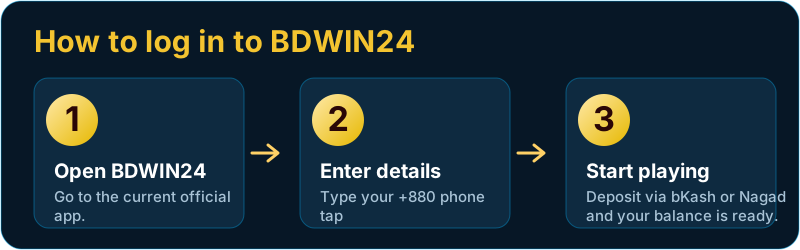
Logging in to BDWIN24 takes under a minute once your account exists. The platform uses your mobile number as your username, so you do not need a separate email.
- Open the official BDWIN24 site or app. Use the current working domain (see "finding the real link" below) or the installed Android app.
- Tap “Login.” It is at the top-right on the web and on the welcome screen in the app.
- Enter your phone number. Choose your country code — +880 for Bangladesh or +91 for India — and type the number you registered with.
- Enter your password and tap Login. Tick “remember password” only on your own device.
- Deposit and play. Add funds through bKash or Nagad and your balance is ready for any game.
How to register a new BDWIN24 account
No account yet? Registration is free and just as fast:
- Tap Register (or Join & Play).
- Enter your phone number and set a strong password you do not use anywhere else.
- Add the invite / referral code if you have one, then confirm.
- Verify your number with the OTP sent by SMS.
- Make your first deposit to unlock the welcome bonus.
Forgot password or can’t log in?
If your login fails, work through these before assuming the account is blocked:
- Wrong country code. A +880 number entered under +91 (or the reverse) is the most common cause.
- Use “Forgot password.” Tap it on the login screen and reset via the OTP sent to your number.
- Clear the cache or try the app if the website misbehaves, and check your internet.
- Dead or blocked domain. If the site won’t open at all, the mirror may have rotated — find the current one below.
Finding the real, current BDWIN24 link
Because BDWIN24 rotates between mirror domains (you may see .net, .bet, .com and others), scammers set up look-alike clones to steal logins. Protect yourself:
- Reach the site through this guide’s official link or the installed app, not a random search ad.
- Check the address bar carefully — one changed letter is a fake.
- Never enter your password on a page that reached you by SMS or Telegram from an unknown sender.
- Support will never ask for your full password or OTP.
Logging in on the app vs the website
The credentials are identical — one phone number and password work on both — so use whichever is handier:
- App (Android): fastest for regular play, with notifications for deposits and promos. Install it once from the official APK, then you stay logged in on your device.
- Website: best for iPhone users and for a quick session on any browser — nothing to install, and you can add it to your Home Screen.
Your balance, bets and bonus progress live on BDWIN24’s servers, not on the device, so switching between app and web never loses anything.
Keep your account secure
- Use a password you don’t reuse anywhere else, and never share it or your OTP.
- Only tick “remember me” on your personal phone, never a shared device.
- Log out on any device that isn’t yours.
What you unlock after login
Once you are in, your BDWIN24 account gives you one wallet across everything: the full games lobby (Aviator and crash, live casino, cricket & sports, slots and colour prediction), the bonus and daily spin wheel, instant bKash/Nagad deposits, and withdrawal requests from the same screen. Your balance, bets and bonus progress all follow the one login.
BDWIN24 login — FAQ
What is my BDWIN24 username?
Your registered mobile number is your username. Log in with the country code (+880 or +91) plus that number and your password.
How do I reset a forgotten BDWIN24 password?
Tap “Forgot password” on the login screen, enter your registered number, and set a new password using the OTP sent by SMS. If it fails, confirm you selected the correct country code.
Why won’t the BDWIN24 site open?
The mirror domain may have changed or be temporarily blocked. Use the official link in this guide or the installed app, and double-check the address to avoid clone sites.
Can I use one account on app and web?
Yes. The same phone number and password log you in on both the website and the Android app, sharing one wallet and balance.